Bring characters, locations, storyboards and design into one visual process. Establish a direction with references, then make every revision specific.
Nano Banana is Google Gemini’s native image generation and editing family. Describe a composition, establish characters and locations with references, then refine lighting, style and text through conversation.
01 / Storyboards
Turn a frame into a story.
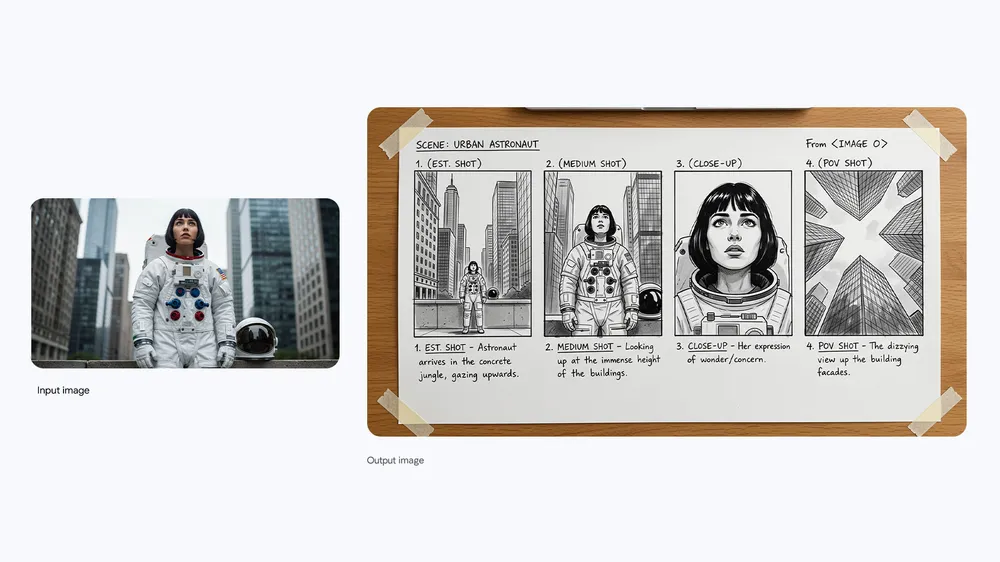
Start with a character and location reference. Specify an establishing shot, medium shot, close-up and point of view in one storyboard brief, so your team can review the sequence before video production.
Production brief: specify panel count, action and character look. Review eyelines, costume and scene continuity.
Official Google example · Nano Banana Pro
A city astronaut reference becomes a four-panel storyboard
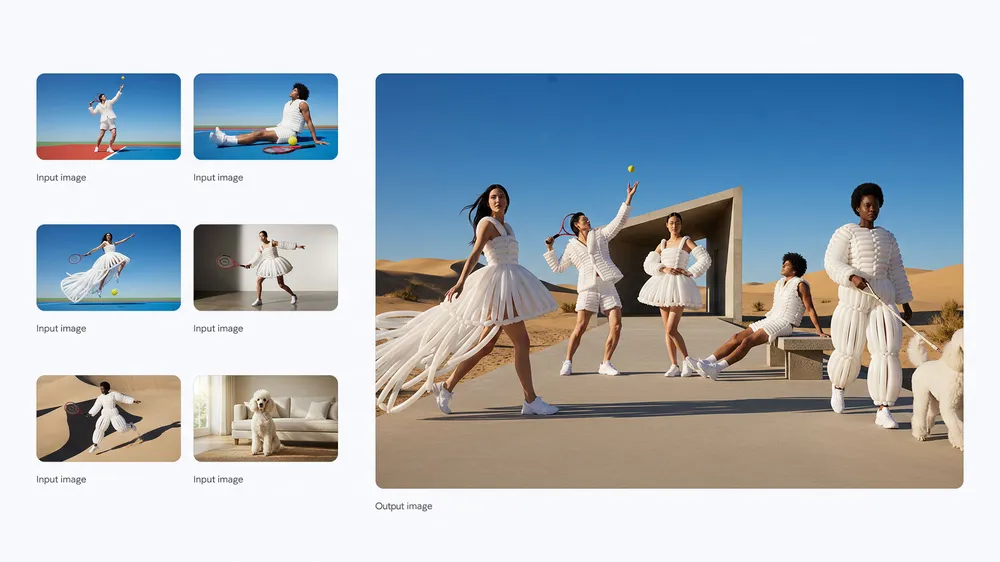
Give character looks, costume, props and locations distinct reference roles. The official Pro example combines multiple people and visual elements into a shared composition; reference fidelity still needs review.
Reference brief: define what each input controls, retain key features, then review proportions, lighting and occlusion.
Official Google example · Nano Banana Pro
Character and styling references combined in a fashion scene
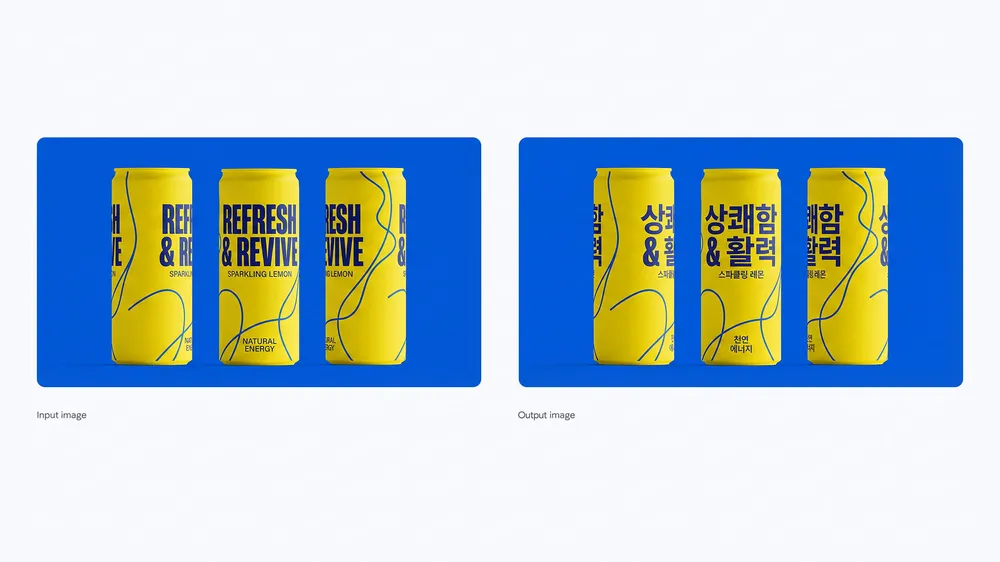
Specify exact wording, type direction and layout for posters, titles and story props. Multilingual generation and translation help explore variants; spelling, brand names and translations still need proofreading.
Design brief: establish the text first, then layout and space. Proofread glyphs, punctuation and facts before delivery.
Official Google example · Nano Banana Pro
English packaging translated into Korean while retaining the design
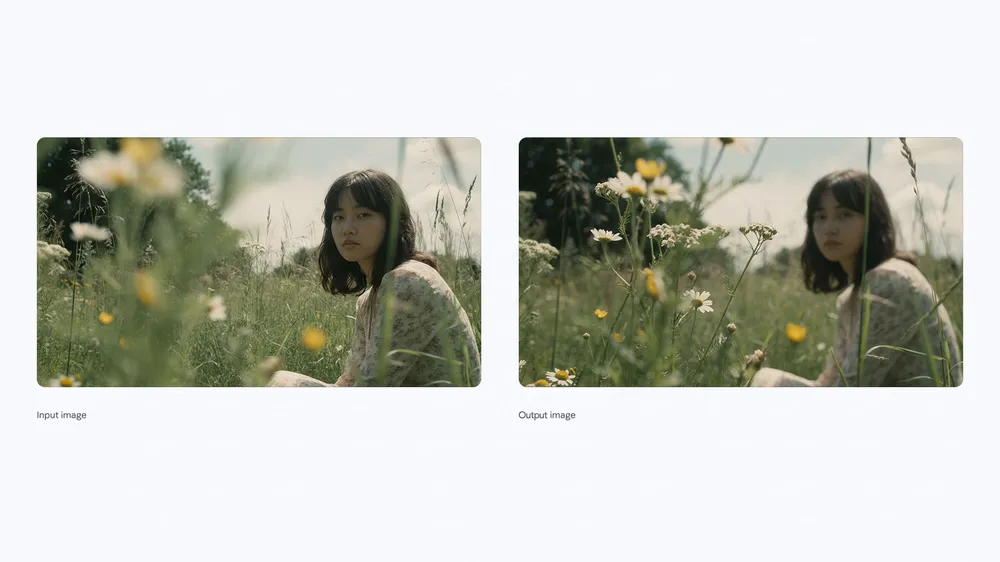
Change focus, light, viewpoint or color through conversation while retaining your chosen subject and visual direction. Give each round one clear editing target.
Edit brief: specify what changes and what stays. Review identity, fine details and composition afterward.
Official Google example · Nano Banana Pro
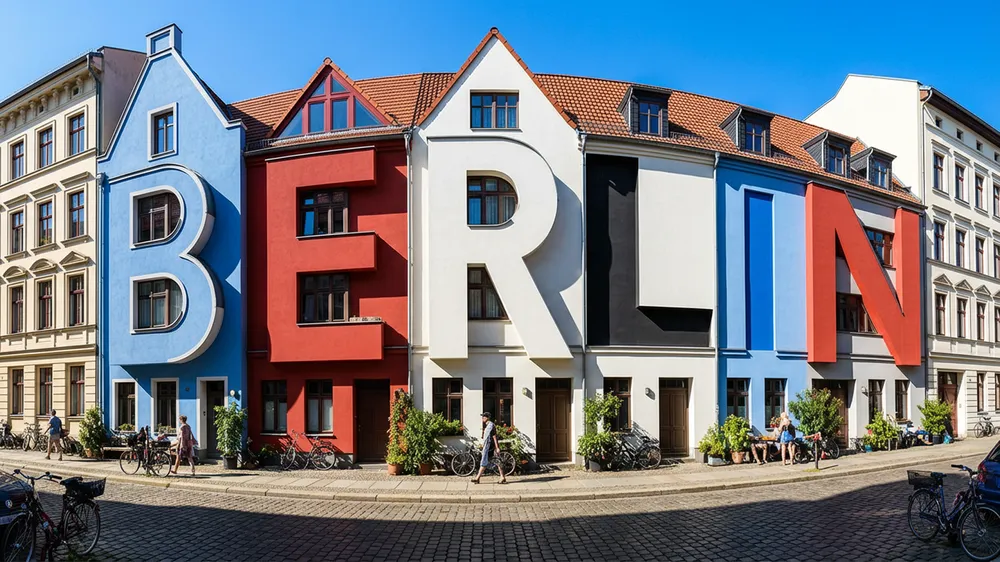
Shift focus from the person to the flowers in the foreground
Use the supplied character look references to create a four-panel film storyboard. A station at night, cool overhead lighting, consistent character looks, costume and spatial direction.
Panel 1: wide shot. A woman stands at the platform edge; a man enters from screen right.
Panel 2: medium shot. She holds an old ticket and looks up at him.
Panel 3: his close-up, looking screen left, hesitating to speak.
Panel 4: a side close-up of both. She offers the ticket; he reaches out, then stops.
Arrange in reading order. Keep identity, eyelines and light consistent. Black-and-white line drawings, without text.
Choose Nano Banana for your task.
These are Google’s model positions. Check your actual creative workspace for available versions and settings.
Nano Banana 2
Gemini 3.1 Flash Image combines image generation with real-world tools and data. Useful for revising a storyboard that depends on factual set details.
Gemini 3 Pro Image is the higher-end option for demanding compositions and production graphics. Compare it when on-screen text or layered art direction matters.
Gemini 3.1 Flash Lite Image focuses on efficient early visual exploration. It is not optimized for multiple references or continuous multi-turn editing.
Nano Banana 2 is Gemini 3.1 Flash Image, suited to everyday generation, reference compositions and iterative edits. Pro is Gemini 3 Pro Image, designed for complex compositions, brand consistency and professional creative control. Choose by task and compare actual results; this page provides no untested speed or quality ranking.
This page covers image generation and editing. Storyboards and stills can guide later video production, but are not video outputs. Some versions can use video references to generate images; the output remains an image.
No. Reuse character looks and specify face, hair, costume and props to communicate identity. Review multiple characters, occlusion and complex poses. Lite is not optimized for multiple references or continuous multi-turn edits.
Google’s official examples demonstrate multilingual text, translation and edits that retain the design. Legible text is not necessarily correct. Proofread titles, brand names, numbers and translations.
The examples come from Google’s official Nano Banana Pro article, not Panco outputs. This page provides model information and creative guidance. Panco production support for versions, reference counts, resolutions, pricing and editing has not been verified. Check the actual product.
Your next story starts with a frame.
Bring your characters, scenes and shot ideas into Panco’s creative workspace.
Images are from Google’s official Nano Banana Pro release. Copyright belongs to the respective owners; these are not Panco outputs.
This page describes provider capabilities. Panco production support for versions, resolution, references, pricing and editing has not been verified. Check the actual product.