Image models

Seedream

Seedream 5.0 Pro: from a detailed visual brief to storyboards, portraits and multilingual design.

Start creating

Seedream is ByteDance Seed’s image generation and editing family. The official 5.0 Pro showcase brings together complex information layouts, annotation-led editing, photographic portraits and native multilingual generation. For film teams, these capabilities offer a way to develop storyboards, character looks and publicity artwork before producing moving shots.

Examples: ByteDance Seed. Rights belong to their respective owners; these are official model examples, not Panco outputs.

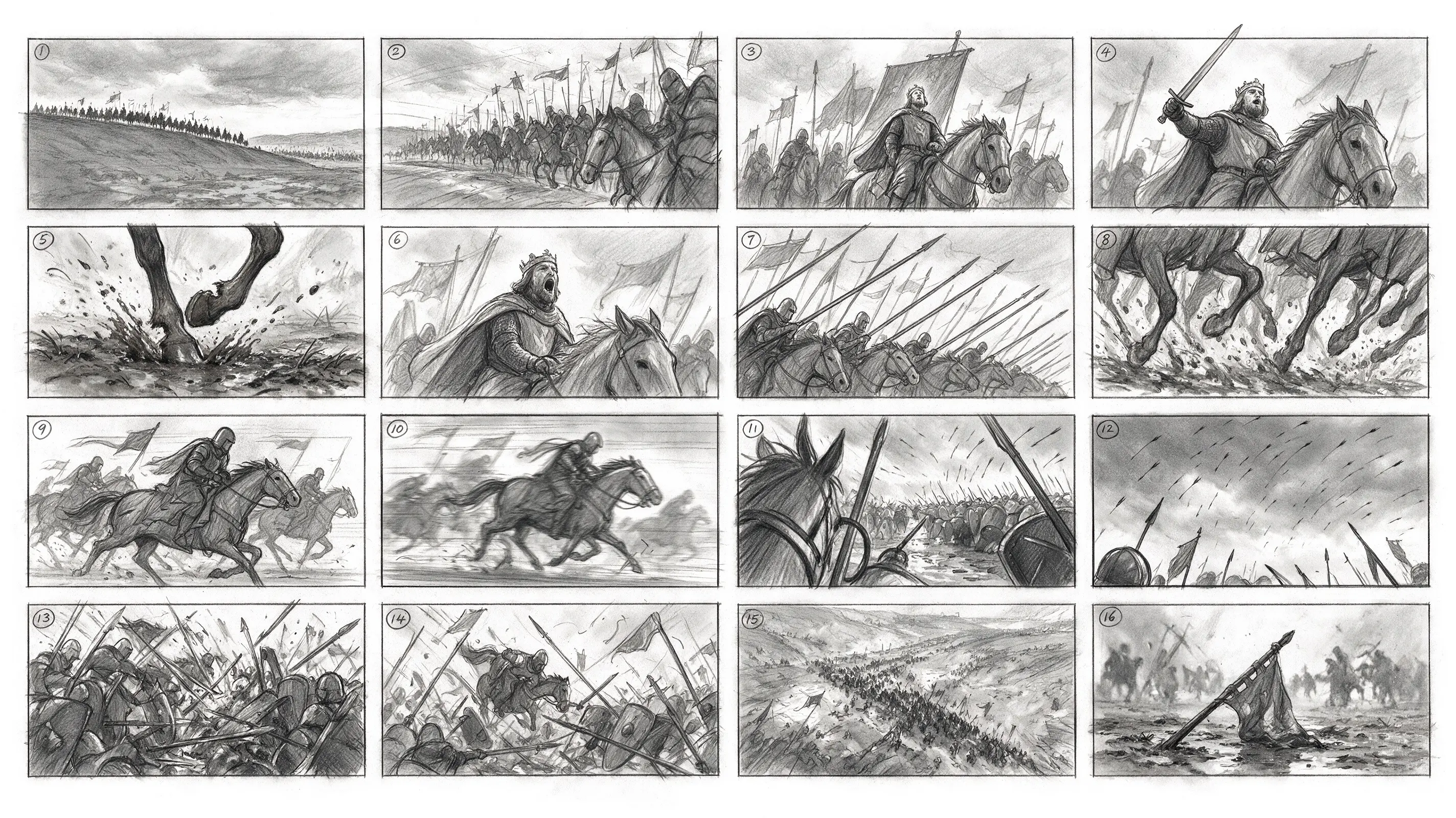
Official 4 × 4 cavalry storyboard: sixteen numbered panels arrange action and shot progression in one image.
Official model example

Dense information layouts

Official 4 × 4 cavalry storyboard: sixteen numbered panels arrange action and shot progression in one image.

View source
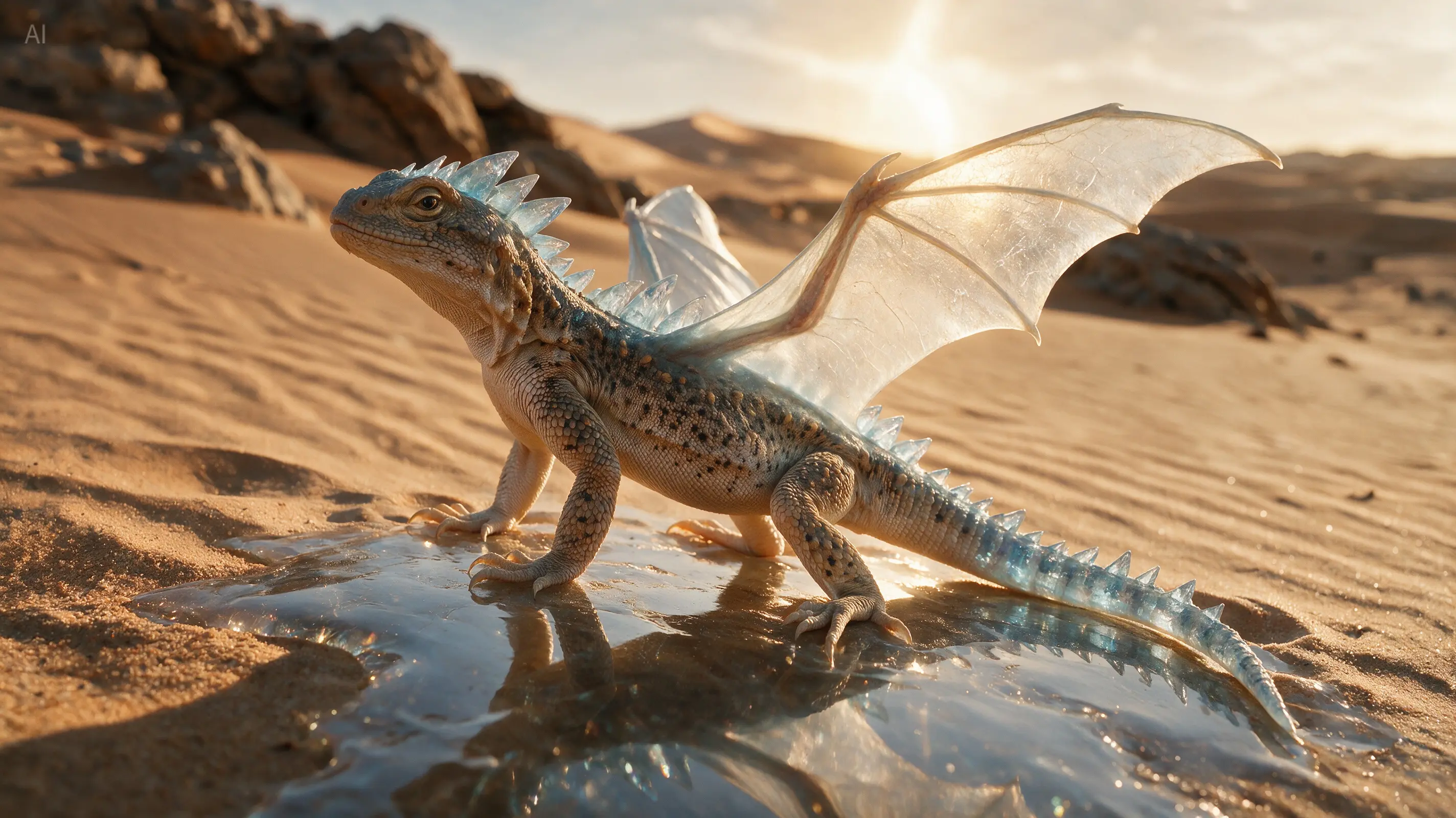
Official edited result: a desert lizard becomes a crystal dragon following image annotations, combining a real setting with a fantasy creature.
Official model example

Annotation-led precise editing

Official edited result: a desert lizard becomes a crystal dragon following image annotations, combining a real setting with a fantasy creature.

View source
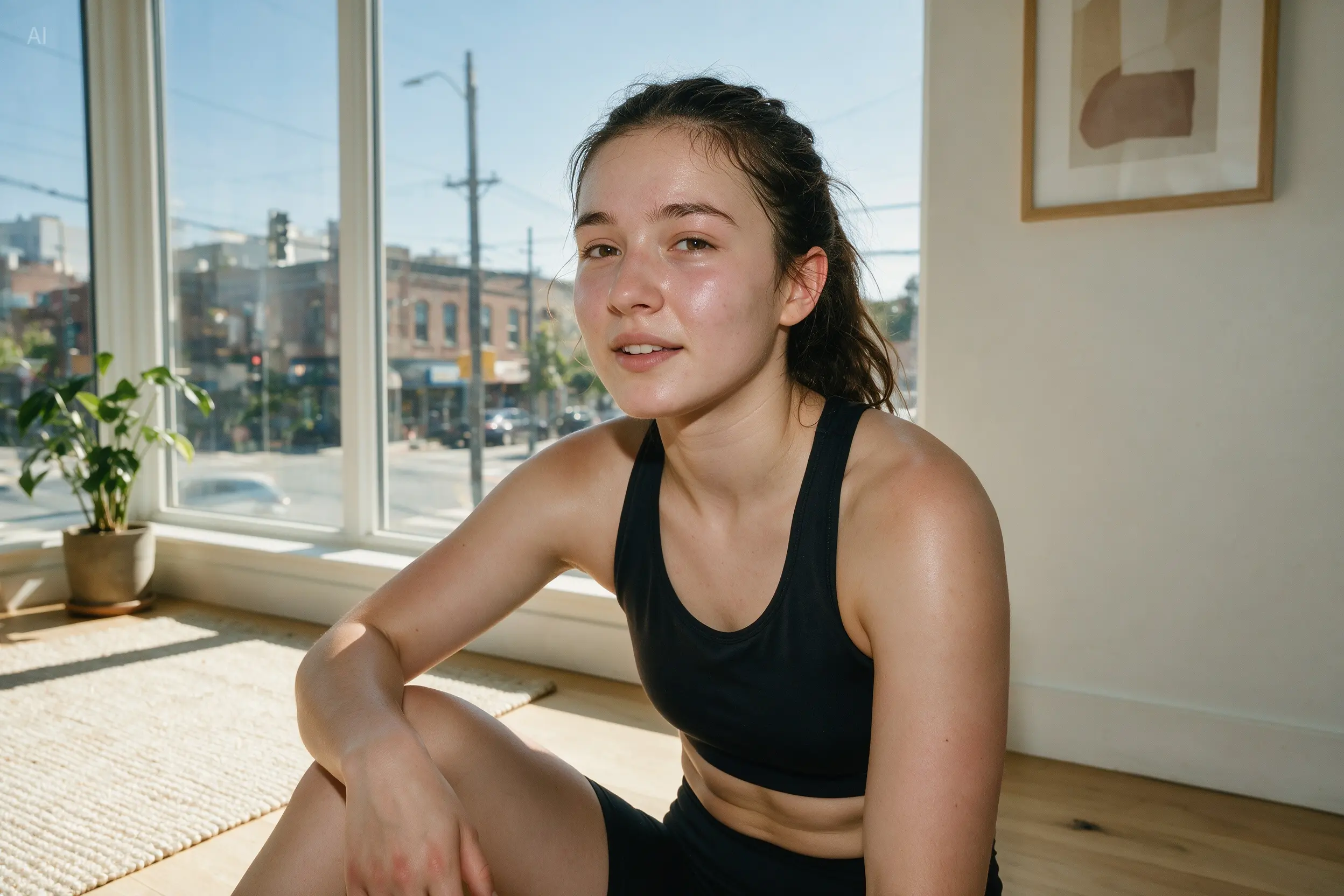
Official portrait retouching result: the brief asks for natural skin and proportion adjustments without excessive smoothing.
Official model example

Photographic portrait detail

Official portrait retouching result: the brief asks for natural skin and proportion adjustments without excessive smoothing.

View source
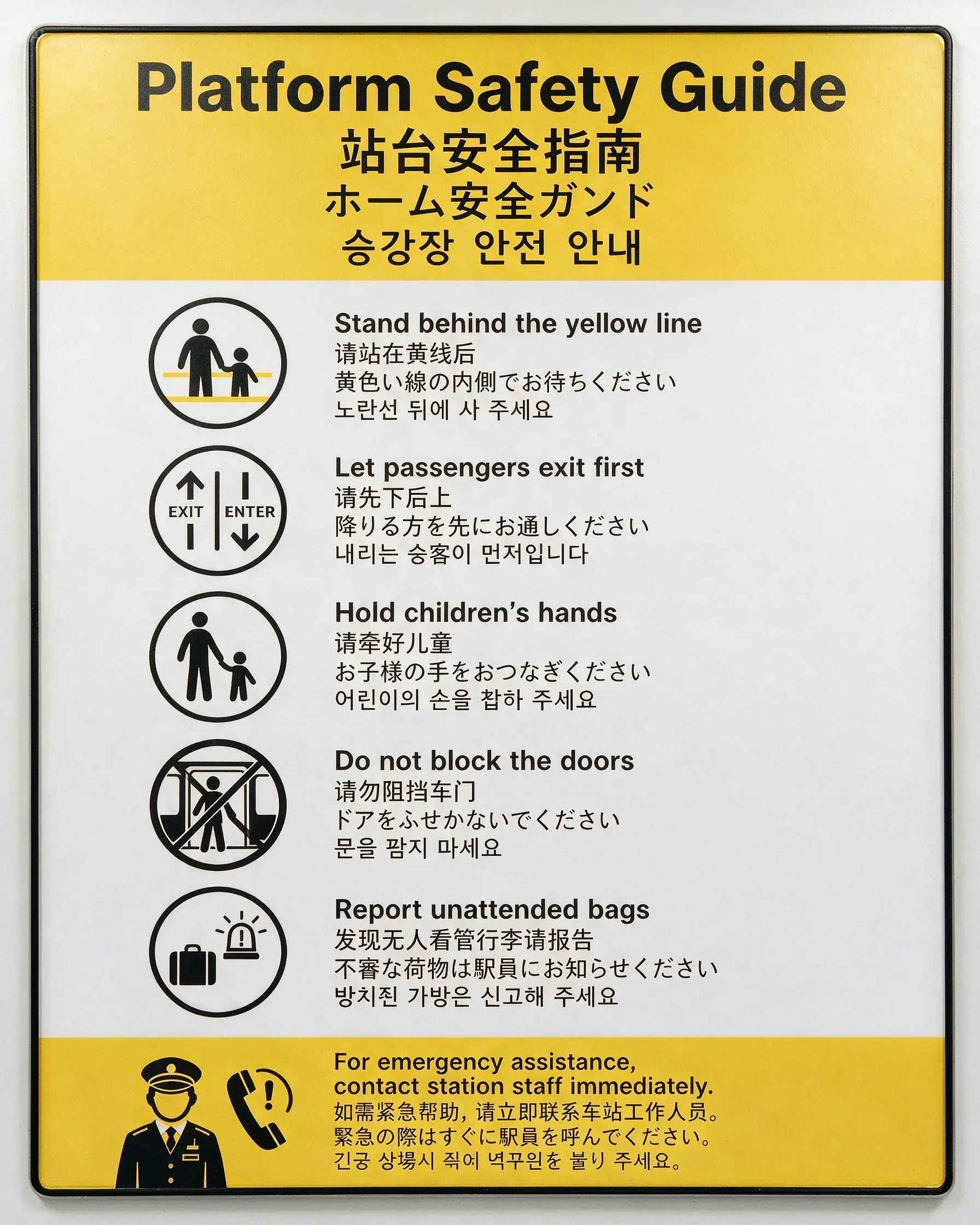
Official metro safety poster: English, Chinese, Japanese and Korean text share one visual layout.
Official model example

Native multilingual generation

Official metro safety poster: English, Chinese, Japanese and Korean text share one visual layout.

View source

Seedream 5.0 Pro

The official showcase emphasizes dense information layouts, spatial annotations, sketch-led editing, layer separation, photographic detail and multilingual design. Consider it for detailed storyboards and artwork that needs targeted revisions.

Official source

Seedream 5.0 Lite

Focuses on understanding and reasoning from text and reference images. Useful when a complicated scene brief needs to become a coherent concept frame.

Official source
01

Dense layouts: organize panels, labels and visual hierarchy for storyboards, infographics and presentation graphics.

02

Precise editing: use spatial marks and sketches to describe revisions; the official showcase also includes layer separation.

03

Photographic detail: explore lighting, skin texture and character portraits as references for casting and art direction.

04

Multilingual design: the official page describes native support for more than ten commonly used languages, including multilingual posters and translated layouts.

Start with character references, location, shot size and lighting. Specify the panel count, reading order and action for each storyboard frame. Revise an approved still with clear region annotations where the chosen service supports them, then pass the selected frames to video production. Publicity posters can follow the same visual direction with separately reviewed language versions.

A storyboard brief to try

Create a 2 × 2 storyboard for a rainy-night reunion at a train station. Number the panels 1–4: establishing shot, medium shot of a woman waiting, close-up of a man turning around, and a two-shot of their reunion. Keep the same faces, dark coats and warm platform lighting across the panels. Use graphite sketches and leave dialogue out of the image.

Before final delivery

Proofread generated text and check faces, hands, props and continuity between panels. Official examples demonstrate model capabilities; available Panco versions and editing controls depend on the workspace. Resolution, pricing and commercial rights must be checked with the service used.
Seedream questions

Model capabilities, version choice and production review.

The 5.0 Pro showcase focuses on layouts, precise editing and production graphics. The official Lite introduction emphasizes understanding and reasoning from text and reference images. Compare the same brief and references using the versions available in your chosen service.