Seedance Prompts for Beginners: Actions, Camera and Dialogue
On this page
“Cinematic” does not tell the model what to film. Start with who is there, what they do and where the camera is. Follow this doorway scene to write clearer Seedance prompts in Panco.
01Say what the person does
“A mother sadly sees her son off” leaves the action open. Try: “She speaks quietly. He listens, nods once, then turns to leave.” These actions give you something to check.
In Panco, split the scene into storyboard shots. One can show listening; another can show leaving. Add mood and style after the action is clear.
02Write the start, action and ending
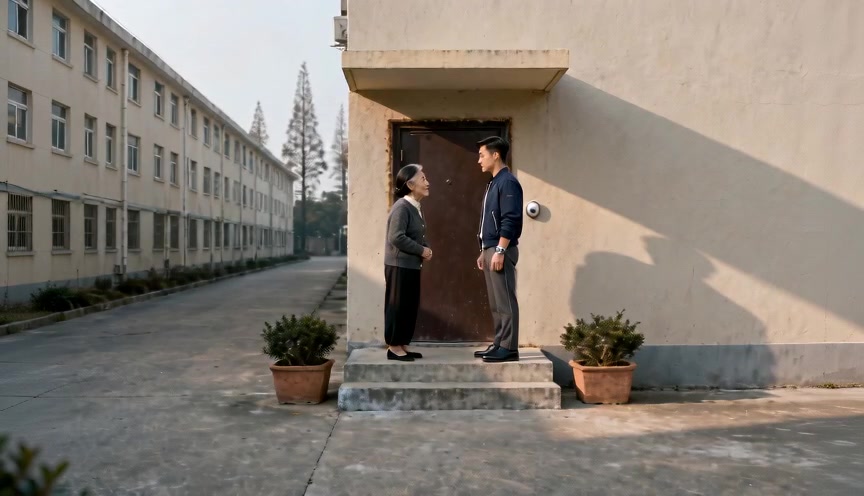
Prepare the two characters and doorway picture. In the storyboard editor, type @ and select them from the list. The suggested prompt below gives you a starting point.
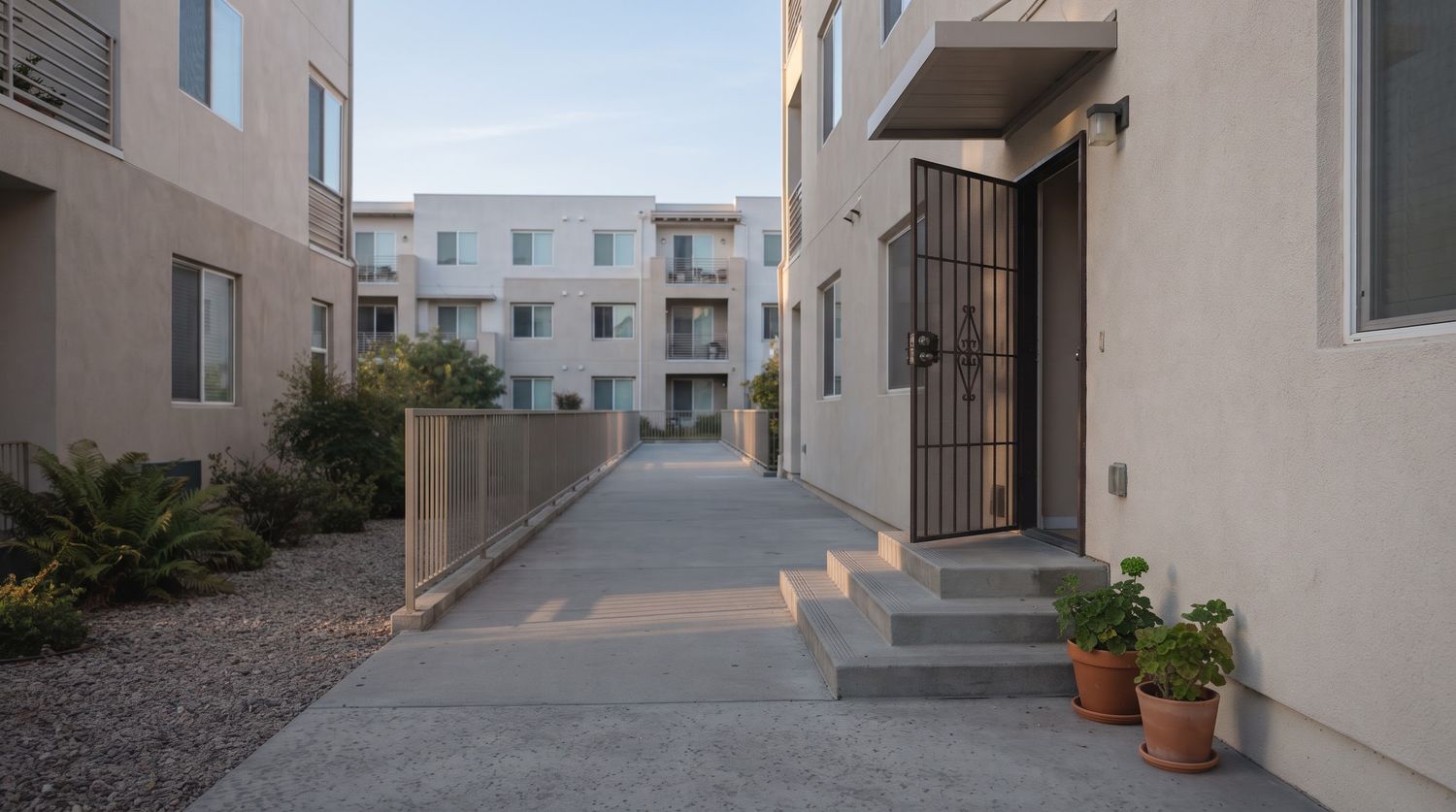
All-time visual materials: 〖@Son〗, 〖@Mother〗, 【@Apartment entrance-Base】.
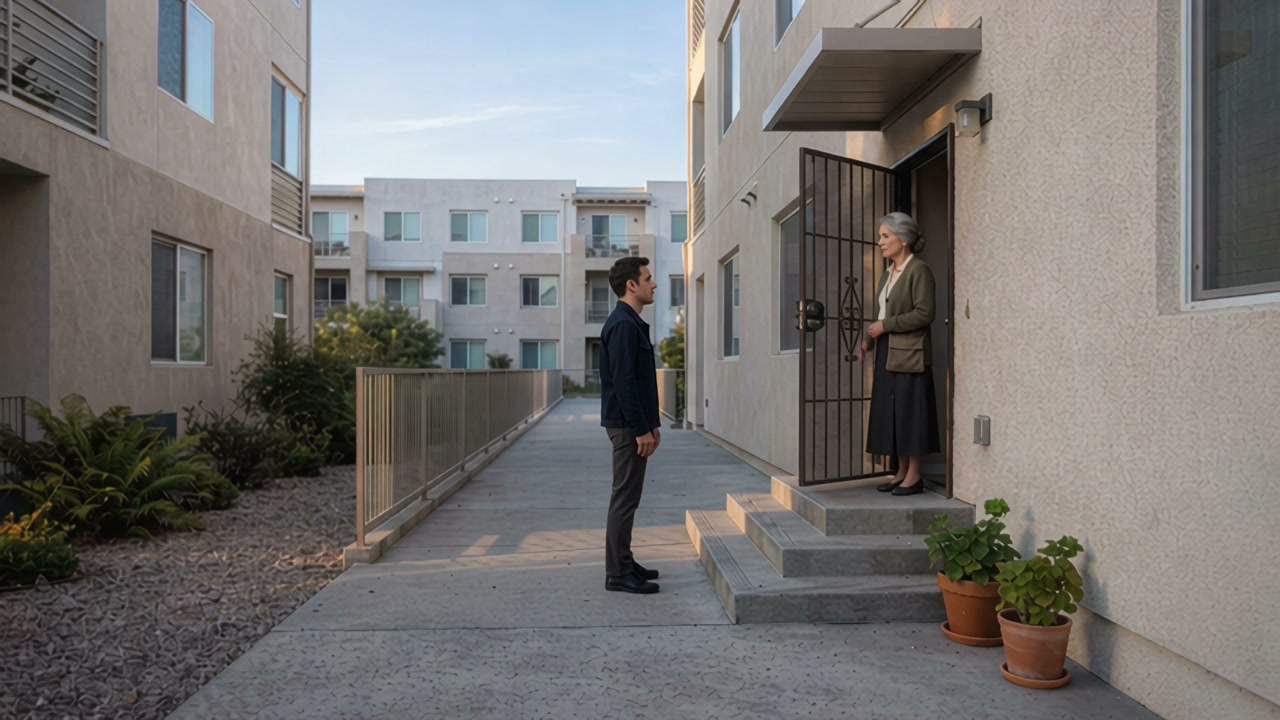
Starting state: 〖@Son〗 standing at the bottom of the steps, facing 〖@Mother〗 by the door, hands hanging at the sides.
0.0–3.0 sec: 50mm medium close-up, fixed camera position, shooting 〖@Son〗 quietly listening from the west side of the axis, lips closed, gaze on the mother’s face.
3.0–5.0 sec: 〖@Son〗 gently nods once, then stays in the original position, hands unchanged, without turning around.
Ending state: 〖@Son〗 still facing the mother, not leaving the bottom of the steps.
Lighting and sound: Soft morning side light, slight wind sound. No ambient music, no subtitles, no on-screen text, no watermark, no logo, no UI. Keep hair and clothing consistent, do not cross the axis.
Write who is visible and where they stand. Add one main action and where it stops, then the camera and light. Keep the timeline within the clip length chosen in the settings.
Explore Seedance in Panco03Name who speaks and who listens
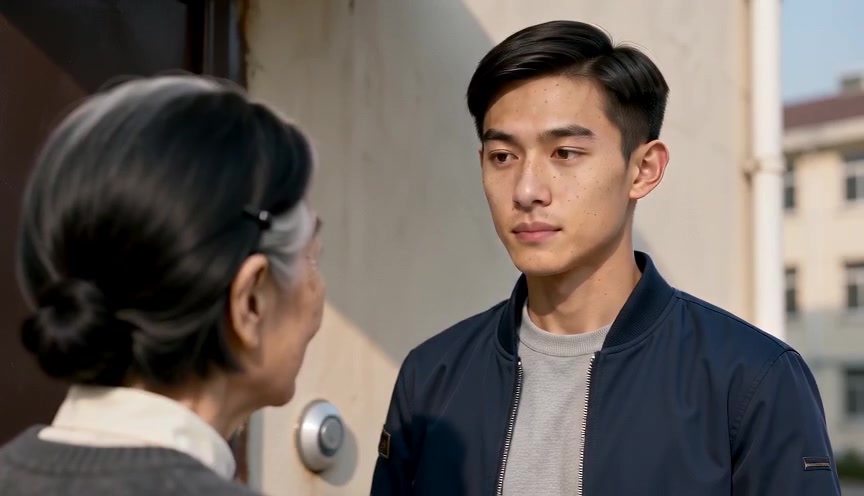
Name each character before their action. Give the listener a simple reaction. The excerpt below is from the original storyboard prompt for the son listening.
5.0–8.0 seconds: Cut to a 65mm close-up, camera positioned on the west side of the door, shooting over the mother's right shoulder from the front 〖@Son〗. His gaze rests on his mother's face, quietly listening and nodding once. The mother's words continue as off-screen dialogue in the same scene; he doesn't interrupt or move his lips.Watch with sound: does the son keep his mouth closed while the mother speaks, and nod only once? If both mouths move, try the son’s close-up with the mother speaking off screen.
04Keep positions clear between cuts
Turning, walking down steps and looking back are several actions. Split them up. If the son ends at the bottom of the steps, start the next shot there.
In this example the door is north, the passage runs south and the camera stays west of the line between the people. Keep these directions in closer views. Add subtitles in the edit and clear unwanted text from reference pictures.
05Compare the actual clips
Both clips used Seedance 2.0 at 8 seconds and 720p. Version A used a short story. Version B added two character pictures, one doorway picture and detailed instructions.
Compare the blue jacket, dark cardigan and doorway with the references. Several inputs changed together here. For the next test, keep the same pictures and change just one action.
06Fix one problem at a time
Write the problem in one sentence: “The son leaves before she finishes.” Keep him facing the mother in the listening shot and move leaving to the next shot. Compare without changing the model or references.
Check the person, action, space and sound in that order. Arrange candidates on the canvas and keep useful parts for editing.
AI Character Consistency: Fix Changing Faces and Clothes in PancoHow to Make a Short Drama with Seedance: References, Shots and PromptsExplore the script workflowSeedance Multimodal Prompt Handbook: Templates, References and Input Rules07Make an overloaded task smaller
The 10-second gate shot shows the crowd and the cart passing. The separate 9-second street shot shows the old man opening the cart. Both used Wan 3.0, 16:9 and 720p.
Give each task one main action. Check its ending against the next clip and keep useful moments. These are different story beats, so they do not establish that a shorter task performs better.
08Prompt questions
Should the prompt be long?
Start with the references, one action and an ending. Add detail to fix a specific problem. Remove repeated adjectives and conflicting camera moves.
How do I continue a scene?
Start where the previous shot ended. Plan the new action and select its clip length. Writing more seconds in the prompt does not change that setting.
Does this work with Wan, MiniMax or Kling?
You can reuse descriptions of characters, actions and positions. When changing models, check the supported inputs and settings, then test the same camera shot. The mother-and-son clips in this article use Seedance 2.0; the prison-release shots use Wan 3.0.