How to Plan a 60-Second Vertical AI Drama
On this page
A vertical drama needs more than a crop. Plan where the faces, hands and story clues will fit before generating video. Use this simple 60-second example to build your first 9:16 shot list.
01Choose a story the audience can see
One person asks, “Where is my door key?” The friend answers, “I did not take it.” A close-up shows that same key in the friend’s hand. The audience sees the lie.
The table below is an editing plan for practice. A time block can contain several shorter clips. Adjust the timing to fit your dialogue and the clip lengths your chosen model supports.
| Time in the edit | What happens | Shots to prepare |
|---|---|---|
| 0–5 seconds | A door key is missing | A person checks an empty key hook |
| 5–15 seconds | They ask their friend | A shared view, then the person asking |
| 15–28 seconds | The friend says no | The friend’s face and closed hand |
| 28–40 seconds | We see the lie | The door key in their hand, then a reaction |
| 40–52 seconds | The person reaches for the key | A hand reaches out; the friend pulls back |
| 52–60 seconds | A new question | A knock from inside the room; both turn toward the door |
02Make the important details large enough
If two people look too small in a vertical view, film them in separate close-ups. When the door key matters, give it a close-up too. Keep the light and each person’s position consistent between shots.
Leave room for subtitles and the app’s buttons. Check the destination app’s preview, then watch the export on a phone. Add subtitles in your editor so you can change the words without generating the picture again.
03Make a storyboard entry for each shot
Prepare the two characters, the room and the door-key prop as elements. In each storyboard shot, select the references you need. Write who is in view, what they do, and where the shot ends.
Keep the camera instruction separate from the action: “The camera stays still. The fingers slowly open.” Choose 9:16 where your model supports it, and prepare the still image in the same shape.
04Try the hand close-up first
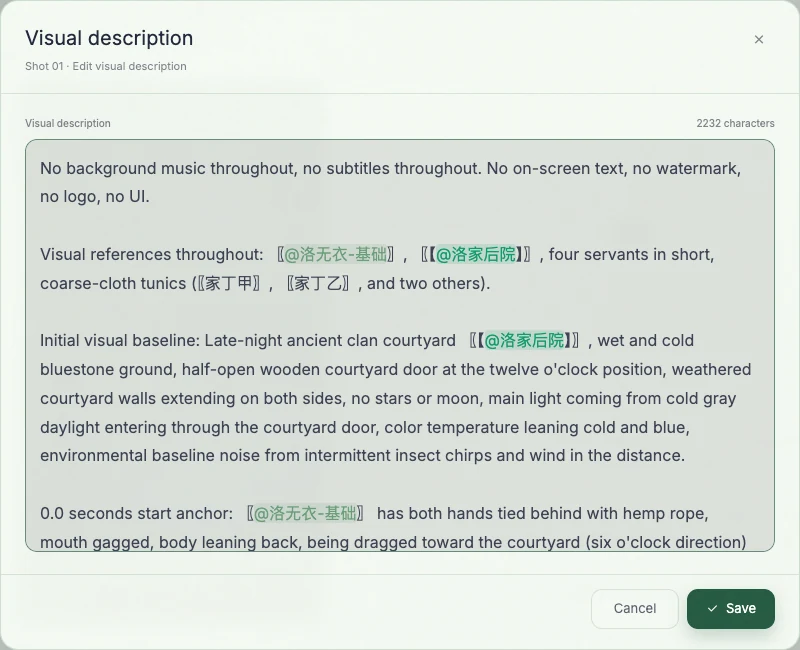
Create or select the door-key prop in your project. First check the hand and key in the still image, then try the suggested motion prompt below.
Vertical 9:16. Close-up of a right hand holding the door key shown in the reference image at chest height. Use the same clothing and courtyard light as the previous shot. The camera stays still. The fingers open slowly to show the key. End with the hand open and the key clearly visible in the middle of the frame. One continuous shot, one simple action.Watch the whole clip. Can you recognize the key when the hand opens? Does the ending give you a clean place to cut to the other person’s reaction? Fix this short shot before generating a longer exchange.
05Join the clips, then watch on a phone
Put the clips in the table’s order in your editor. Watch without sound first: can you follow the missing key and the lie? Then turn the sound on and check whether the lines and reactions have enough time.
Remove repeated information before speeding up the cuts. End on a question the next episode can answer, such as who is knocking inside the room. Check the subtitles and important objects on your phone before exporting the final version.
Follow the complete Panco storyboard workflowPlan the dialogue coverageSee an existing short-drama opening breakdownExplore Panco script writing06Vertical drama questions
Must every episode last 60 seconds?
No. This is a practice length. Choose the length for your story and destination, then make the shorter clips you need.
Can I crop a landscape video?
Yes, if the faces, hands and clues stay in view. Planning in 9:16 from the start gives you more control over where they appear.
Where should the episode end?
Finish the current action, then leave a clear question. Give the next episode something specific to continue.