Explore an appearance
Try a realistic interpretation of the character’s face and hair.
Start with an anime character image and explore realistic visual ideas for the character and costume.
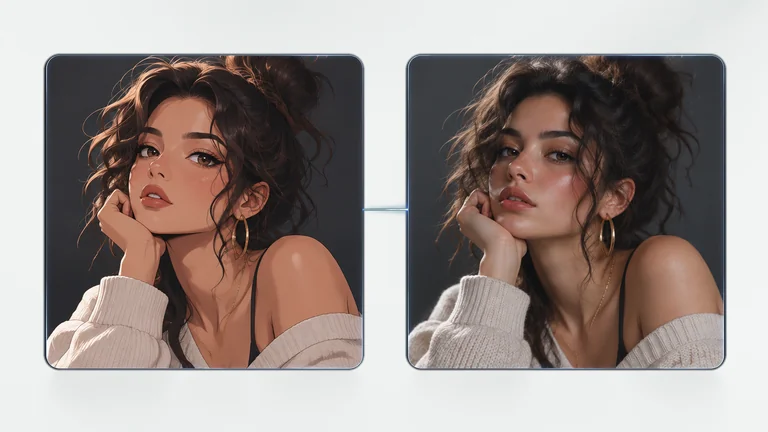
Try a realistic interpretation of the character’s face and hair.
Compare how the outfit reads with realistic textures.
Review the result as a new visual proposal alongside the original design.
Explore how a drawn character could look in a realistic visual style before choosing a direction for the production.
Treat the output as a new interpretation and review it against your character design.
Use it as a visual proposal for a realistic character reference.
Use it as a visual proposal for a realistic character reference.